Create, Dare, Be Passionate!


Which plotter should I choose?
Buying Guide — Créadhésif Cutting Plotters
How to choose your cutting plotter ?
Materials to be cut, cutting width, speed, precision, software, budget — here is the complete guide to choosing the cutting plotter that suits your business, whether you are a beginner, semi-professional or a professional in intensive production.
Flocking & Flex
Adhesive Vinyl
Signage
Silhouette · Siser · Graphtec · Secabo
A cutting plotter is a machine equipped with a blade mounted on a moving head that travels along the X and Y axes to cut materials according to a computer-generated pattern. Depending on the model, the blade can be replaced with a pen, an engraving tool, or a perforation tool—offering versatility far beyond simple cutting.
Choosing the right plotter means answering five key questions : what will it be used for, what materials will it be made of, what width will it need, what technical specifications will it require, and what is your budget? This guide provides all the answers.
1
Define your use
That's the first question to ask. A hobby plotter and a professional plotter are not the same machine at all — neither in terms of construction, nor in terms of long-term reliability.
Hobbies & Creative Activities
Scrapbooking, stickers, paper cutting, small personal projects. A few hours a week. A compact plotter like the Silhouette Cameo 5 is more than enough.
Semi-professional
Textile flocking, small vinyl runs, artisanal workshop. Regular production without high speeds. The Siser Juliet or a semi-professional Secabo are suitable.
Professional ★
Customization workshop, signage, daily production. Reliability and precision are paramount. Siser Romeo, Graphtec CE or Secabo pro are essential.
Intensive / Large format
Professional signage, vehicle wrapping, continuous production. Graphtec FC, Summa or professional roller machines for large widths.
Créadhésif tip: always allow for future growth. If you start with 20 pieces per week but aim for 200 in 2 years, it's better to invest in a semi-professional machine from the start than to have to buy a new one in 18 months.
2
Identify your materials
Each material has its own requirements in terms of force, speed, and blade type. A plotter does not cut vinyl flex in the same way as retroreflective film or card stock.
The 30° blades are for thin materials and small details, the 45° for standard use, and the 60° for thick materials. See our Silhouette blade guide for details by model.
3
Choose the correct cutting width
The cutting width determines the maximum size of your projects. This is often the deciding factor that leads directly to one model or another. Consider the size of your largest productions.
21 cm
A4 format — Leisure
Silhouette Portrait 4. Perfect for stickers, scrapbooking, small visuals. Portable.
30 cm
A4/A3 textile flocking — Beginner to semi-professional
Silhouette Cameo 5, Siser Juliet. Suitable for small chest-sized t-shirt designs or back logos.
60–62 cm
Large format flocking & signage — Professional ★
Siser Romeo, Silhouette Cameo Pro, Secabo. Covers full backs, large pieces, and vinyl rolls. The recommended size for a professional workshop.
80 cm+
Large format signage & vehicle wraps
Graphtec FC, Summa. For professional signage, banners and vehicle wrapping.
Practical guideline: for flocking the entire back of an adult t-shirt (approximately 40–45 cm), a minimum cutting width of 60 cm is recommended. Anything less will limit your ability to handle larger pieces or require cutting in multiple sections.
4
Evaluate the technical specifications
Four technical parameters directly influence the quality and productivity of your plotter.
Cutting force
The cutting force determines the materials the plotter can cut. Hobby plotters offer 200–300 g of cutting force, semi-professional ones 400–500 g, and professional ones up to 600–750 g. A plotter with low cutting force will struggle with thick flocking or retroreflective vinyl.
Professional: 600–750 g · Semi-professional: 400 g · Leisure: 200 g
Cutting speed
Speed directly impacts your productivity. Hobby plotters run at 100–300 mm/s, semi-professionals at 300–600 mm/s, and professional models from 600 mm/s to over 1,500 mm/s for industrial models.
Siser Juliet/Romeo: 60 cm/s · Graphtec pro: 105 cm/s+
Mechanical precision
Precision determines the fineness of reproducible details. Professional plotters achieve a mechanical resolution of 0.0125 mm, allowing letters 3–4 mm high to be cut with perfect sharpness.
The lower the resolution in mm, the higher the accuracy
Registration system (Print & Cut)
If you combine printing and cutting (Print & Cut), the registration system is crucial. Silhouette uses 4 registration marks for its Cameo 5, Siser integrates an optical reader per camera , and Graphtec offers its LAPOS/ARMS systems.
Essential for clipping printed images
5
Don't neglect the software
The software is just as important as the machine. It determines the quality of the vectorization, the management of cropping contours, and compatibility with your design files. A good plotter with poor software will produce poor results.
Silhouette Studio
Free, PC & Mac. Very feature-rich, ideal for beginners. Designer and Business versions available with more options (one-time payment).
Graphtec Pro Studio
Free, included with Graphtec plotters (PC only). Integrated vectorization, advanced edge management. The Plus version (€449 excl. VAT) adds professional features.
DrawCut Pro
€149 excl. VAT, PC & Mac. Vectorization + cutting, compatible with all plotters on the market. Excellent features/price ratio for semi-professionals.
Artcut
€25 excluding VAT, PC only. An economical solution for beginners on a budget. Basic vectorization and cutting.
Important: Check OS compatibility before purchasing. Graphtec Pro Studio software is PC only. DrawCut and Silhouette Studio are compatible with both PC and Mac. See our cutting software comparison chart for full details.
6
Define your total budget
The price of a plotter varies greatly depending on the level of expertise. Note: consider the total cost, not just the price of the machine – replacement blades, software, cutting mats, and consumables are added to the initial investment.
Don't forget the additional costs: replacement blades (€10–€30 excluding VAT depending on the model), cutting mat (€20–€60 excluding VAT), software if not included, and consumables (flex, vinyl). To calculate profitability, consult our flocking cost breakdown sheet.
Summary of Créadhésif brands
Which brand for which profile?
Silhouette
The most versatile and accessible brand. Excellent Studio software (free and PC+Mac). Large online community. Ideal for beginners and creatives who want to cut heat transfer vinyl, paper, or fabric.
✓ Hobbies to semi-professional use ✓ Free software ✓ PC & Mac
Siser — Juliet & Romeo
Precision for textile vinyl. Optical camera reader, no belt, 60 cm/s. If your priority is textile flocking or precision signage, Siser is the benchmark. Juliet (32 cm) for beginners, Romeo (62 cm) for professionals.
✓ Textile vinyl ✓ No carpet ✓ Optical camera
Graphtec
A global leader in precision cutting. Pro Studio software included. Available in CE (budget-friendly) and FC (studio/industrial) ranges. 2-year warranty. Ideal if you're looking for long-term reliability and precision with a proven customer service team.
✓ Professional precision ✓ Software included ✓ 2-year warranty
Secabo & Summa
Secabo offers excellent value for money for professional workshops. Summa is the high-end industrial solution for heavy-duty signage and large-format wrapping. Spare parts are available from Créadhésif.
✓ Professional & industrial ✓ Parts available
Frequently Asked Questions
FAQ — Choosing your plotter
Do you need a cutting mat with all plotters? +
No. Silhouette Cameo plotters require a mat for small formats and unsupported materials. Siser Juliet and Romeo plotters operate without a mat thanks to their adjustable rollers. Large-format Graphtec, Secabo, and Summa plotters also use a material-gripping roller system without a mat. A mat is primarily useful for flexible or unsupported materials (paper, fabric, felt).
Can a Silhouette Cameo be used for professional purposes? +
The Cameo 5 (30 cm) is suitable for moderate-speed professional use—a few dozen parts per day. For high-volume daily production (100+ parts/day) or large parts, the Cameo Pro (61 cm) or a Siser Romeo/Secabo Pro would be more appropriate. The mechanical durability of professional plotters is superior to that of "home" models over the long term.
What is the difference between a plotter with a mat and one without a mat? +
A plotter with a conveyor belt (Silhouette Cameo) uses an adhesive sheet to hold the material in place during cutting—ideal for small formats, paper, and unsupported materials. A plotter without a conveyor belt (Siser, Graphtec, Secabo) uses pressure rollers that hold the material by pinching—ideal for continuous rolls of vinyl or flex. Plotters without conveyor belts are generally faster and better suited for high-volume production.
Should I vectorize my files before sending them to the plotter? +
Yes, absolutely. Cutting plotters work exclusively with vector files (SVG, AI, EPS, vector PDF). A bitmap file (JPEG, PNG) must be vectorized before being sent to the plotter—either with dedicated software (Illustrator, Corel, DrawCut) or with the automatic vectorization function integrated into some software such as Graphtec Pro Studio or DrawCut Pro. Our cutting software guide details the available options.
Which plotter should I choose to start textile flocking? +
To start textile flocking on a limited budget: the Silhouette Cameo 5 (30 cm, ~€350–400) is the best entry point—free Studio software, PC & Mac compatible, and highly versatile. For a business that's just getting started: the Siser Juliet (32 cm) offers superior precision thanks to its camera-based optical reader. For a professional workshop right from the start: the Siser Romeo (62 cm) or a Secabo 60 cm are the benchmarks. Our team can advise you based on your estimated volume; please call us at +33 1 34 33 01 55.
Still unsure which model is right?
Our team will advise you based on your business, materials, and budget.
[email protected] — 01 34 33 01 55 — Ennery (95), Val-d'Oise
What's on
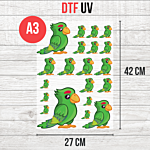
DTF UV Transfer Sheet - A3 Size - 27 x 42 cm
9,50 € 7,92 € From 6,50 €

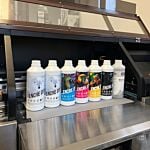
DTF Transfer Ink - 2nd Generation - White - 1L
49,00 € 40,83 €
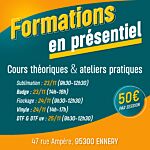
In-person training (half-day)
0,00 € 0,00 €
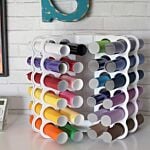
New! Storage tower for Flex or Vinyl - 36 slots
59,99 € 49,99 €