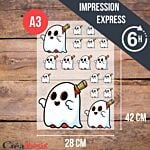
Create, Dare, Be Passionate!


Your Questions about DTF
Complete Guide — Créadhésif DTF Printing Service
Your questions about DTF printing
Techniques, files, pressing, wash resistance, lead times, pricing — all the answers to your questions about DTF textile and DTF UV object transfer. A comprehensive guide written by our team of experts, based on years of field experience.
DTF printing Made in France
No minimum order
24H express delivery available
All textiles · Light & dark
Quick access
The technique
Understanding DTF printing
What is DTF printing? +
Direct-to-film (DTF) is a digital printing technique that involves printing a design onto a PET film, coating it with a heat-fusible powder, and then transferring it to the fabric using a heat press. The result is a flexible, precise print, without borders or weeding, applicable to all types of textiles —cotton, polyester, silk, synthetic fibers, light or dark fabrics—without pretreatment. It is currently the most versatile textile printing solution on the market.
Are there any outlines or a border around the DTF prints? +
No, that's one of the great advantages of DTF. Unlike traditional four-color transfers, there are no white borders or outlines around the prints. Every pixel of your design is faithfully reproduced right to the edge. There's also no weeding required—the unprinted areas are simply transparent. The result is crisp, professional, and blends seamlessly into the fabric.
Why choose DTF over other textile marking techniques? +
DTF offers several decisive advantages over competing techniques:
✓All textiles, all colors — cotton, polyester, silk, dark, light, synthetic
✓No pretreatment required — unlike DTG which requires chemical pretreatment
✓Unlimited colors — gradients and high-definition photos impossible with traditional screen printing
✓From 1 piece — no minimum order unlike screen printing
✓No edging, no weeding — immediate professional finish
✓Very light and flexible feel — much more discreet than vinyl transfers
✓Film storage — printed DTF sheets can be stored flat for several months, away from heat and humidity
What is the difference between DTF textile and DTF UV object? +
Textile DTF uses pigmented inks and a hot-melt powder to transfer designs onto fabric using a heat press (130–160°C). UV DTF (or UV DTF) uses UV inks cured by ultraviolet light to create 3D stickers that can be cold-applied to virtually any rigid or smooth surface (metal, plastic, glass, wood, ceramic, etc.). Both processes start with a transfer film, but the inks, equipment, and applications differ. See our UV DTF for Objects page for more information.
Does DTF printing alter the texture of the textile? +
No. Once pressed, the DTF transfer is soft, flexible, and pleasant to the touch. The print remains very light—it's one of the techniques with the least "stiffness" (resistance to touch) on the fabric. The fabric retains its natural suppleness, even on thin materials like a lightweight t-shirt. Post-pressing (a second pass through the press) further improves the final result and the feel.
Compatibilities
DTF compatible textiles & supports
Which textiles can be customized with DTF? +
DTF is compatible with almost all textile materials:
COMPATIBLE MATERIALS
Cotton · Polyester · Polyamide · Denim · Cotton/polyester blend · Silk · Synthetic fibers · Velvet
COMPATIBLE SUPPORTS
T-shirts · Polo shirts · Sweatshirts · Jackets · Bags · Tote bags · Caps · Beanies · Gloves · Shoes · Raincoats
Unlike sublimation, DTF works on both light AND dark, without any pretreatment.
Does DTF work on black or dark textiles? +
Yes, that's one of the major advantages of DTF printing. The layer of white ink printed first on the PET film acts as an opaque background , allowing the colors to stand out perfectly on dark fabrics. Whether it's a black, navy, burgundy, or khaki t-shirt, the result is identical to that obtained on white. This is impossible with traditional sublimation, which only works on white or light-colored polyester.
Can a 100% cotton DTF t-shirt be customized? +
Yes, absolutely. DTF works perfectly on 100% cotton, regardless of color. In fact, this is one of the reasons why DTF has superseded other techniques: there are no fabric composition restrictions. A Regent 100% cotton t-shirt in white, gray, or black can be customized with the same file and settings. Recommended temperature: 130 to 160°C for 12 to 15 seconds, cold peel.
Which textiles are not recommended for DTF? +
Some materials require special precautions or should be avoided altogether: softshell (heat-sensitive waterproof membrane), neoprene,pure elastane (Lycra), and textiles with a very plush backing. A preliminary test is strongly recommended for these materials. Highly elastic textiles (Lycra/Spandex) can be pressed, but the print's lifespan will be reduced due to repeated stretching. Consult our DTF pressing conditions sheet for parameters specific to each material.
Quality
Quality & durability of DTF prints
Are Créadhésif DTF prints of good quality? +
All our DTF and DTF UV printing is carried out in France at our workshop in Ennery (95), in the Val-d'Oise region, by our specialized team. Our equipment is regularly calibrated and tested to guarantee sharp lines, color accuracy, and durable transfers. Our DTF inks are specifically selected for their performance on both light and dark textiles, with optimal white density and controlled consumption.
What is the lifespan of DTF prints? +
With correct pressing settings and proper care, our DTF transfers offer a lifespan of 50 to 60 washes. This lifespan may vary depending on the fabric's elasticity and quality, washing temperatures, and whether post-pressing is applied. To maximize durability, wash inside out at a maximum of 40°C, without tumble drying or bleaching. A second press of 10 to 15 seconds after the initial press significantly improves resistance to washing and abrasion.
Is DTF printing suitable for large production runs? +
Yes. DTF allows you to print dozens or hundreds of items quickly with consistent quality from one copy to the next. Unlike screen printing, which requires stencil preparation for each color and has a high minimum order quantity, DTF is just as effective for 1 item as it is for 1,000. Our service offers A4, A3, A2, 56×100 cm, and 56×200 cm formats, as well as volume packages for large production runs.
Are the DTF colors faithful to my original file? +
DTF color reproduction is very accurate across the entire CMYK spectrum. Gradients, photos, and complex colors are reproduced perfectly. However, DTF works in CMYK, not Pantone —direct Pantone colors (such as certain bright reds or specific oranges) cannot be guaranteed to be identical. If Pantone conformity is critical to your project, screen printing is recommended. To prepare your file correctly, consult our DTF file preparation guide.
Interview
Washing & Care of DTF Clothes
TO DO
✓ Wash inside out
✓ Max temperature 40°C
✓ Air dry
✓ Iron inside out at a moderate temperature
✓ Max temperature 40°C
✓ Air dry
✓ Iron inside out at a moderate temperature
AVOID
✗ Tumble dryer
✗ Bleach / whitening products
✗ Wash above 40°C
✗ Iron directly on the transfer
✗ Bleach / whitening products
✗ Wash above 40°C
✗ Iron directly on the transfer
Do DTF prints hold up to washing? +
Yes. DTF inks penetrate deep into the fibers thanks to the hot-melt powder and offer excellent wash resistance. By following the recommendations (washing inside out, maximum 40°C, no tumble drying), you can achieve 50 to 60 washes with the quality maintained. Even beyond that, the print remains visible and legible—only a slight loss of brightness may occur, which is normal for any textile printing technique.
How to extend the lifespan of a DTF marking? +
Several practices can optimize longevity: perform a post-pressing for 10 to 15 seconds immediately after the initial pressing (with or without a Teflon sheet), wash inside out at 30–40°C, avoid tumble drying, and never iron directly on the design (always iron inside out). Proper post-pressing is the number one factor that distinguishes an average-quality transfer from a durable, professional one.
Can you iron a garment with a DTF marking? +
Yes, but always inside out and at a moderate temperature (cotton/synthetic setting depending on the fabric). Never place the iron directly on the DTF design—direct heat could alter the colors or cause the transfer to stick to the iron. If in doubt, place a cloth or a Teflon sheet between the iron and the garment.
Can you put a DTF garment in the dryer? +
No, tumble drying is strongly discouraged. The prolonged heat and mechanical friction of the dryer can cause the DTF print to peel, crack, or otherwise damage, even if it appears perfectly adhered. Always opt for air drying, either flat or on a hanger.
Application
DTF pressing and application
How do I apply a DTF transfer to a t-shirt? +
Applying a DTF transfer involves 4 simple steps:
1
Pre-press the fabric alone for 2 to 5 seconds to flatten it and remove residual moisture.
2
Position the DTF transfer on the textile, printed side up, in the desired location.
3
Press with a hot press at 130–160°C for 12 to 15 seconds at 3.5–5 bar (cotton). Allow to cool, then peel off the film when cold.
4
Post-press for 10 to 15 seconds (with Teflon sheet) to finalize adhesion and improve wash resistance.
Can a DTF transfer be applied with an iron? +
Technically possible, but strongly discouraged. An iron cannot reach and maintain the necessary 130–160°C evenly across the entire transfer surface, nor can it apply consistent pressure. The result will be a poorly adhered transfer with peeling areas and a significantly reduced lifespan. For professional and long-lasting results, a heat press is essential. Consult our heat press guide to choose the right one for you.
What are the DTF pressing parameters depending on the fabric? +
Always perform a test before production. Consult the complete DTF pressing conditions sheet.
Should you peel hot or cold in DTF? +
It depends on the type of PET film used. There are two types: cold peel (the film needs to cool before being removed—the most common and forgiving for beginners) and hot peel (the film peels off immediately after pressing, while still hot). Our Créadhésif printing service uses cold peel by default. If you're unsure, always wait until the transfer is at room temperature before peeling—it's the safest method.
Files
Prepare your files for DTF printing
Download our complete guide to preparing DTF files (free PDF) for all the technical details.
What file formats are accepted for DTF printing? +
We accept PNG, PDF, AI, EPS, and PSD formats . PNG with a transparent background is ideal for images that need to be cut out. Vector PDF is recommended for logos and text. JPG files are accepted but discouraged, as compression can degrade the quality of fine details and pattern edges.
What resolution is required for a DTF file? +
The minimum recommended resolution is 150 DPI at actual print size. Ideally, work at 300 DPI to ensure optimal sharpness of fine details. A low-resolution file (72 DPI) will result in a blurry or pixelated print. For vector logos, resolution is not an issue—vector files are resolution-independent.
What color mode should I use to prepare my DTF file? +
Prepare your files in RGB — unlike traditional offset printing which works in CMYK, DTF printers handle RGB files better. Our RIP software performs the CMYK conversion optimized for our DTF inks. If you send a CMYK file, it will be automatically converted, which may result in slight color variations.
Should the file be sent as a mirror for the DTF? +
No, send your file in its normal orientation. Our RIP software automatically handles mirroring when printing onto PET film. Unlike other transfer techniques, you don't have to worry about file orientation. Simply send your artwork in its normal reading direction.
Do I need a transparent background for my DTF file? +
Yes, ideally. A transparent background (alpha channel) allows our software to generate precisely the right amount of white space beneath your design, without any bleeding. If your file has a white or colored background, that background will also be printed—this isn't a problem for rectangular images, but for cut-out shapes (logos, irregular patterns), a transparent background is essential for a result without visible outlines. Export as a PNG with transparency or as a vector PDF.
Can multiple logos be placed on the same DTF sheet? +
Yes, and it's even recommended to optimize costs. You can group several different designs on the same DTF sheet to maximize film usage. Our online sheet builder lets you easily create your sheet. Note: you can mix different logos on a sheet, but not light and dark fabrics —the white layer is calculated for the entire sheet.
Should fonts be vectorized for DTF? +
If you're sending a vector file (AI, EPS, PDF), yes, vectorize (flatten) your text to avoid font substitution issues. If you're sending a raster file (PNG, PSD at 300 DPI), the text is already rasterized, so this isn't a problem. When in doubt, always export your final file as a 300 DPI PNG with a transparent background—it's the most universal format and the least prone to errors.
What is the minimum line or text size in DTF? +
The minimum recommended line thickness is 0.5 mm and 5–6 points for text at final print size. Below these values, details may close up or merge during printing. For very fine text or logos with extremely precise details, perform a test on an A4 sheet before ordering in large quantities. Our PDF guide, "Mastering DTF: Mistakes to Avoid," is available on our blog under the DTF section.
Créadhésif Service
Order DTF transfers from Créadhésif
What DTF transfer formats does Créadhésif offer? +
5×5 cm label
From €0.16 excluding VAT
Heart 10×10 cm
From €0.25 excluding VAT
A4 format
From €1.10 excluding VAT
A3 format
From €2.20 excluding VAT
A2 size
From €4.40 excluding VAT
56×100 cm
From €9.90 excluding VAT
Volume packages are also available for large productions.
What are the production times for Créadhésif DTF transfers? +
6H Ultra Express
Order before 11am — Coming soon
24H Express
Order before 1:30 PM — Next day delivery
48H Standard Fast
2 business days
72H Standard
3 business days
Eco
5 business days
Is there a minimum order quantity? +
No, there's no minimum order requirement at Créadhésif. You can order a single A4 sheet to test your design, or hundreds of sheets for mass production—pricing adjusts to the volume. This is one of the major advantages of the DTF service compared to traditional screen printing.
Is it possible to return a printed DTF transfer? +
DTF prints are custom-made products produced on demand — they are not eligible for return except in the case of a proven manufacturing defect (error on our part, printing defect noticed upon receipt). If you notice a quality issue, contact us within 48 hours of receipt with photos at [email protected] — we will find a suitable solution.
How long can unused DTF boards be stored? +
Printed DTF sheets can be stored for several months without loss of quality, provided they are stored flat, away from heat, humidity, and direct sunlight. Avoid rolling or folding them. This is a significant logistical advantage: you can print in advance and press on demand, which is ideal for safety stock.
Material
Materials for DTF printing
What type of printer is needed for DTF? +
DTF printing requires a specialized printer equipped with tanks for pigment-based DTF inks (CMYK + white). These printers are based on modified inkjet technology—the feed rollers are removed, and the LC/LM tanks are filled with white DTF ink. The most common printers are based on the Epson L1800. For high-volume production, systems with integrated powder and dryer units are available in 30 cm, 60 cm, or larger formats. See our range of DTF printer kits.
Can DTF be done with a regular printer? +
No, a standard office printer is not suitable. It is not designed for DTF inks, PET film, or to handle the white layer. If you wish to equip yourself, you will either need to purchase a dedicated DTF printer kit or modify a compatible printer (Epson L1800, R1800, etc.). If you do not wish to invest in equipment, our on-demand DTF printing service allows you to benefit from professional transfers without any hardware investment.
What RIP software is needed for DTF printing? +
A RIP (Raster Image Processor) software is essential for DTF printing. It manages color profiling, ink levels, droplet size, print order (colors first, white on top), and automatic mirroring. The most commonly used software for DTF printers includes Photoprint, Cadlink, ErgoSoft , and the RIPs included with printer kits. The software is the primary factor determining the final transfer quality.
When is it better to buy a DTF printer rather than ordering a service? +
The printing service is ideal for starting out, testing designs, small to medium print runs, and one-off projects. Investing in a DTF printer becomes worthwhile when your monthly order volume regularly reaches 200 to 400 A4 sheets or equivalent. At this stage, the internal cost of production can become lower than the service price. Our webinar, "When to Invest in a DTF Printer?", addresses this profitability calculation in detail.
Limitations & precautions
What you need to know about the limitations of DTF
Note: Like any printing technique, DTF has its limitations. Understanding them will allow you to choose the most suitable technique for your project and avoid unpleasant surprises.
What are the main limitations of DTF technology? +
✗No exact Pantone colors — the DTF works in CMYK, so accurate Pantone color matching cannot be guaranteed
✗Highly elastic materials — pure elastane (Lycra): the print may crack when stretched
✗Softshell and neoprene — technical membranes can be damaged by the heat of pressing
✗Excessive friction — repeated rubbing on the printed area can accelerate wear
✗Slight presence of the transfer — unlike sublimation, DTF leaves a slight touch on the textile (very discreet but perceptible on very thin fabrics)
Which technique should I choose if DTF is not suitable for my project? +
If DTF ( Direct-to-Fly) printing doesn't meet your needs, other techniques may be suitable: sublimation for white or light-colored polyester fabrics (invisible feel, integrated colors), flex printing for simple single or two-color logos (velvety finish, very durable), or screen printing for very large runs with strict Pantone color matching. Consult our webinar "Choosing Your Personalization Technique" for guidance.
Can DTF be applied to waterproof or technical clothing? +
This is possible on some waterproof items (umbrellas, simple rain jackets) but not recommended on softshell garments with technical membranes (Gore-Tex, similar) whose membrane can be damaged by the heat of pressing. For simple rain jackets without a membrane, a preliminary test at 120–130°C is recommended. For caps, beanies, gloves, and waterproof bags without a technical membrane, DTF (Direct-to-Fly) treatment generally works well.
To go further
DTF Resources Créadhésif
Service
Order DTF transfers
From €0.16 excl. VAT — A4 to 56×200 cm formats — 24H Express
Free PDF guide
Preparing your DTF files
Resolution, color mode, transparent background, formats
Technical specifications
DTF pressing conditions
Parameters by material — cotton, polyester, mix, lycra…
PDF file
DTF cost price
A4 T-shirt at €3.29 excl. VAT — PET film at €0.42 excl. VAT
Free training
DTF Créadhésif Webinars
Techniques, tips, mistakes to avoid, equipment — live
Blog
DTF Articles & Tutorials
Practical guides, new features and feedback from field experience
Your question is not in this list?
Our team of DTF experts is available to answer your questions Monday through Friday.
[email protected] — 01 34 33 01 55 — Ennery (95), Val-d'Oise
What's on

New! Storage tower for Flex or Vinyl - 36 slots
59,99 € 49,99 €
DTF Transfer Ink - 2nd Generation - White - 1L
49,00 € 40,83 €
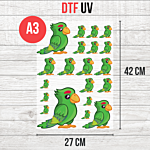
DTF UV Transfer Sheet - A3 Size - 27 x 42 cm
9,50 € 7,92 € From 6,50 €