Create, Dare, Be Passionate!


Cutting and Flocking Sheets
Technical Resources — Flock Printing & Cutting
Technical specifications for cutting and flocking
Cutting and vectorization software, Silhouette Cameo & Portrait blade compatibility, blade settings by material, and flex overlay charts by brand (Politape, Siser, Stahls, SEF). All the resources you need to master heat-seal cutting and flocking.
Flex vinyl
flocking
cutting plotter
Silhouette Cameo
Politape · Siser · Stahls · SEF
6 free PDF sheets
Software
Cutting & Vectorization Software
Comparison of the main software used in flocking and vinyl cutting: PC/Mac compatibility, vectorization and cutting functions, and indicative prices excluding VAT.
Cutting software
Graphic design software
* Photoshop: vectorization possible but not recommended for cutting. Except for Series T II. Indicative prices excluding VAT, subject to change.
Download the PDF software brochureMaterial
Silhouette Cameo & Portrait Blade Compatibility
Each Silhouette blade has its preferred materials. Here is the complete compatibility guide for the Portrait 2, Portrait 3, Cameo 3, and Cameo 4 models.
Compatibility table for guidance only. Always check compatibility with your exact machine version.
Flex layering
Overlay tables by brand
Layering flexible materials allows you to create multi-layered effects. These charts indicate which products can be applied over or under each brand. Download the PDF datasheets for complete details.
Overlay
Politape
Overlay compatibilities between Poli-Flex Turbo, Poli-Flock, Mirror, Carbon, Design, Reflective and Dimension — underneath and on top.
Products covered
Poli-Flex Turbo Poli-Flock Carbon Mirror Reflective Design Dimension
Overlay
Siser
Overlay compatibility chart for the Siser range: standard, metallic, neon/fluorescent products and their order of application.
Product ranges covered
Standard
Metallic
Neon
Overlay
Stahls
Layering compatibilities for the Stahls range: classic, metallic, neon/fluorescent — top/bottom indications for each product.
Product ranges covered
Classic
Metallic
Neon/Fluo
Overlay
SEF
Overlay chart for the SEF creative range: FlexCut, VelCut Evo, VelCut Touch, Metal'Flex and Puff — under and over.
Products covered
FlexCut
VelCut Evo
VelCut Touch
Metal'Flex
Puff
Frequently Asked Questions
FAQ — Cutting & Flocking
Which software should I choose to get started in vinyl cutting and flocking? +
For beginners, Graphtec Studio (free, included with the plotter, PC and Mac) or Silhouette Studio (free, PC and Mac) are excellent entry points. If you need integrated vectorization, Draw Cut Pro (€149 excluding VAT, PC and Mac) or Graphtec Pro Studio (included with some plotters) are the most versatile options.
Which Silhouette blade is best for cutting vinyl flex? +
For cutting standard vinyl flex, the Silh-Blade-2MM or the Silh-Blade-Prem are the most versatile options — they cut paper, vinyl, vellum and flex on Portrait 2, Portrait 3, Cameo 3 and Cameo 4. For thicker materials (felt, fabrics), choose the Silh-Blade-Rotary with a high-adhesion mat.
Can any flex materials be layered on top of each other? +
No. Each brand of heat transfer vinyl has its own layering rules—some products can only be applied underneath, others only on top, and some combinations are incompatible. Consult the layering charts for each brand (Politape, Siser, Stahls, SEF) available in PDF format above. As a general rule, special vinyls (glitter, mirror, embossed) are applied as the final layer, over the standard vinyls.
Should you vectorize your file before cutting flex material? +
Yes, absolutely. Cutting plotters work with vector files (SVG, AI, EPS, vector PDF). A bitmap file (JPEG, PNG) must first be vectorized before being sent to the plotter. Photoshop is not suitable for this step—use Illustrator, Corel Draw, Draw Cut Pro , or any software with an automatic vectorization function.
Where can I find the blade settings for my plotter? +
Download our Cutting Blade Settings PDF, available in the Silhouette Blades section above. It includes recommended pressure, speed, and blade depth settings for each material. These values are starting points—always adjust them on a small test run before starting your production run.
Questions about your cutting configuration?
Our team can advise you on choosing the plotter, blades, and software best suited to your business.
[email protected] — 01 34 33 01 55
What's on
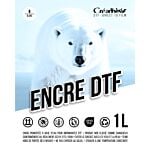
DTF Transfer Ink - 2nd Generation - White - 1L
49,00 € 40,83 €
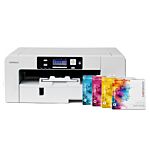
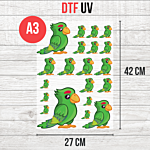
DTF UV Transfer Sheet - A3 Size - 27 x 42 cm
9,50 € 7,92 € From 6,50 €
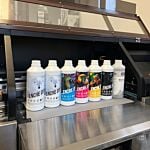
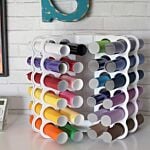
New! Storage tower for Flex or Vinyl - 36 slots
59,99 € 49,99 €
In-person training (half-day)
0,00 € 0,00 €
