Create, Dare, Be Passionate!




DrawCut LITE Software
169,20 € 141,00 €
Availability: In stock
SKU
SCB_106.005.55_DRAWCUT_LITE
DrawCut LITE combines performance and ease of use, making it ideal for both beginners and professionals.
This powerful layout and editing software allows you to unleash your creativity: draw arrows and stars, text outlines, text paths and arcs, and much more.
You can easily import your vector files from Illustrator, CorelDraw, and other sources.
For even greater performance, if you want to cut your prints, choose DrawCut PRO !
Please note: if you are only ordering this software, do not add shipping costs to your order; choose the "store pickup" option to avoid any fees. The software will be sent to you by email as a voucher code to be used on the www.draw-cut.com website. You will not receive any other physical media by mail.
DrawCut LITE software is supported by the following systems:
- Windows 10 (32/64 Bit)
- Windows 8 - 8.1 (32/64 bit)
- Windows 7 (32/64 bit)
- Windows Vista
- Windows XP
And the cutting plotters that support DrawCut PRO are:
- Secabo CIII, CIV, S, T.
You can now download the trial version of the DrawCut LITE TRIAL
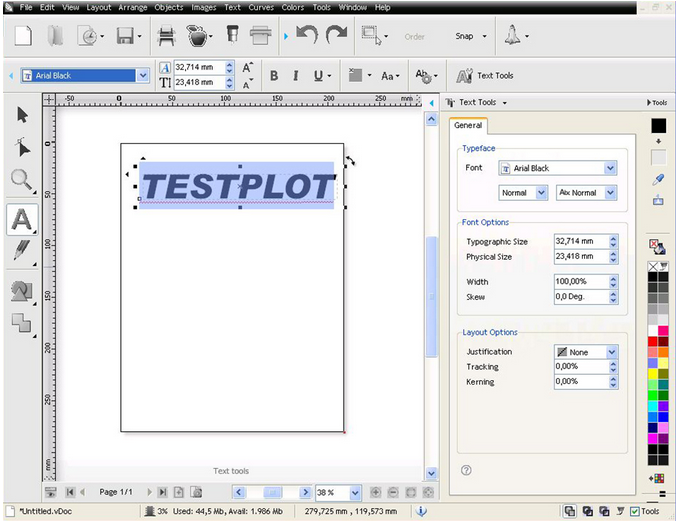 |
Text ToolsPowerful |
|
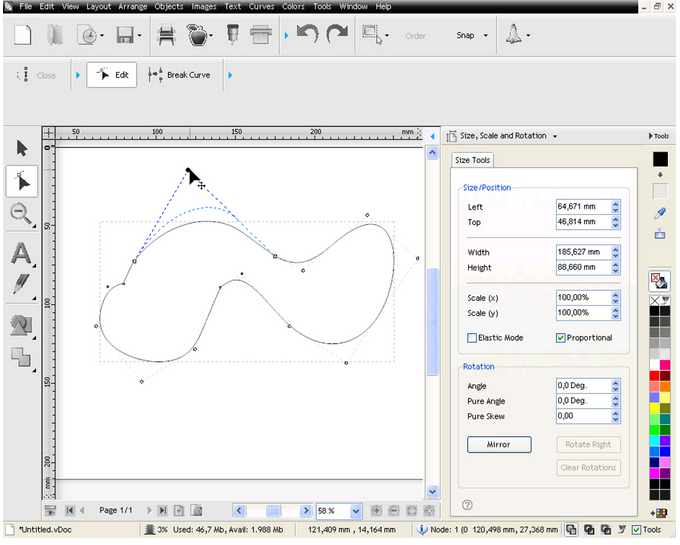
| Edit Mode: Modify your vector objects in detail. DrawCut LITE allows you to transform and edit points and Bézier curves. |
 |
|
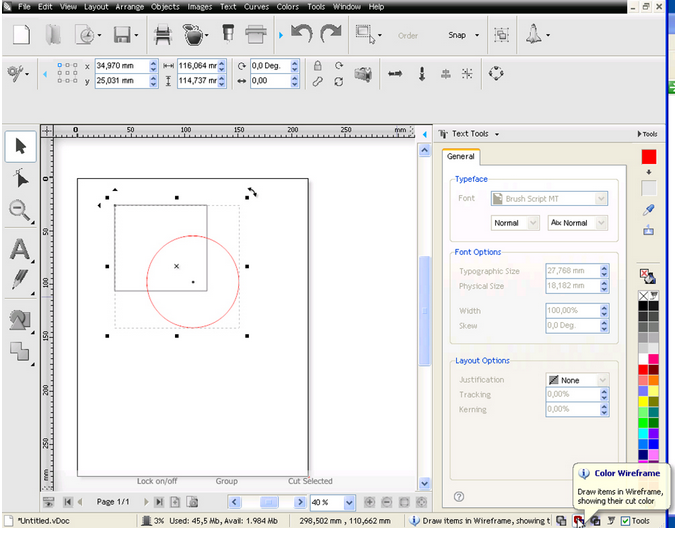 |
View Tool Click on the different display options between the normal view with filled objects and wireframe views to check if there are any overlapping parts in your visual and to see what will actually be cut. |
|
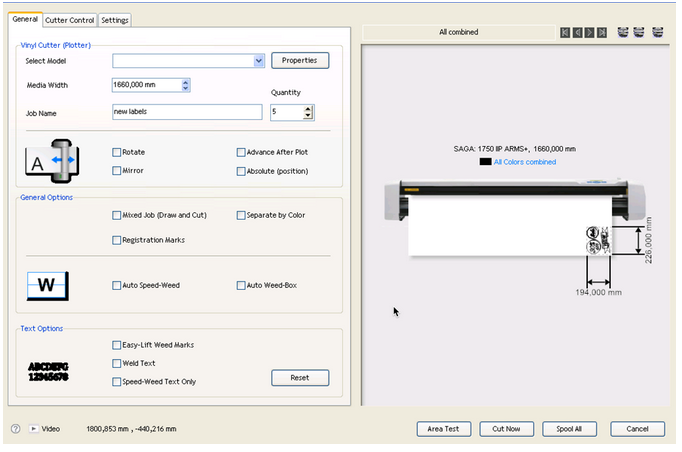
| Cutting Manager With the cutting manager, you can choose different options for your plotter to cut exactly what you need: number of copies, rotations, mirror mode… |
 |
Write your own review