Create, Dare, Be Passionate!




Calibration and creation of a dedicated ICC profile for your DTF printer
249,00 € 207,50 €
Availability: In stock
SKU
SERV_CALIBRATION_DTF
For optimal color reproduction, have your DTF printer calibrated and choose your dedicated ICC profile!
If you own a DTF printer, even if it's new or freshly installed, the printed colors can deviate significantly from a four-color process reference, such as a Pantone ColorBridge color chart.
To achieve optimal color reproduction, you need to calibrate your printer. This will prevent potential colorimetry issues with your clients.
Here's how calibration works in 10 steps:
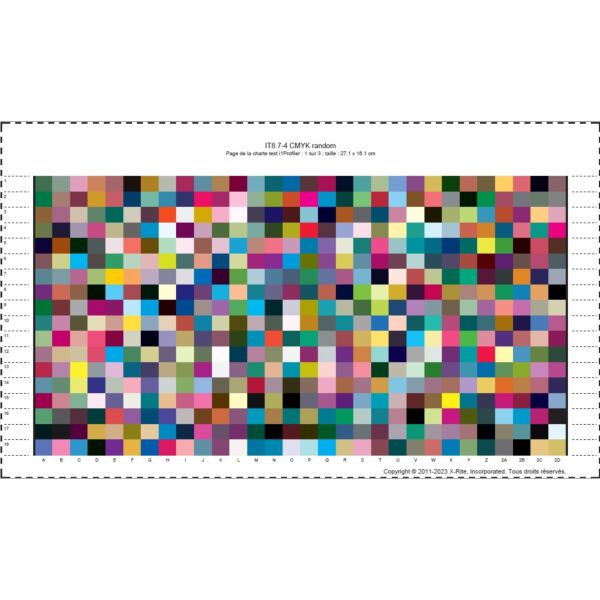
1/ Download the 3 color palettes in A4 format to print at 100% below:
do not apply a white underlayer in Photoshop.
2/ Import each file into your RIP software (MainTop…)
3/ Set the "White Ink Setting" to FULL or your usual setting
4/ In the "Adjust Color" menu: deselect "Use Color Management"
5/ Save your files for printing
6/ Print on your DTF machine using your usual white ink support settings
7/ Send the 3 powdered/dried sheets flat to Créadhésif - Calibration Department
8/ We create your ICC color profile based on a dark fabric and send you the ICC file by email
9/ You simply need to import it into your RIP software
10/ Your machine is calibrated and prints accurate colors across the entire color gamut available with your printer.
To work under optimal conditions, we recommend sending us high-quality fabric samples that you regularly use and also having your monitors calibrated using a probe.
It may be necessary to repeat the calibration process when you change ink, film, printhead, or white balance settings.
For impeccable color reproduction, we recommend having your machine calibrated once a quarter.
What is an ICC profile?
An ICC profile is a digital file in a specific format (extension .icc or .icm) that describes how a computer device reproduces colors. It is created during device calibration and is used to display the correct colors. In short, it's its color identity card.
To print a file, it is recommended to use an ICC profile because it will best match the colors of your image with the printed version on a given medium, taking into account the characteristics and limitations of the printer and its substrate. The printer will calculate how to modify a color that it cannot print so that the final result remains as close as possible to the original color.
As you may know, the colors displayed on your screen are not the same as those that will be printed. The color mode of computer screens is called RGB mode, and it includes three colors: red, green, and blue. The CMYK color mode, on the other hand, groups 4 colors: cyan, magenta, yellow and black, it is used for printing.
Write your own review

