Create, Dare, Be Passionate!


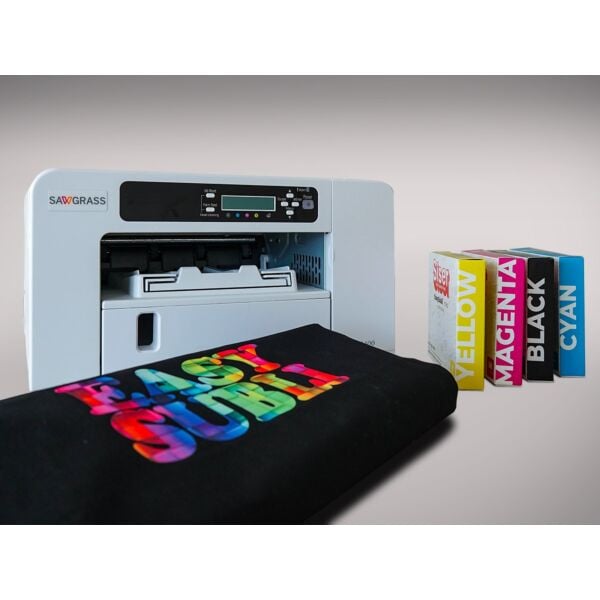


EasySubli paper for sublijet ink
25,08 € 20,90 €
Availability: In stock
SKU
SSR_EASYSUBLI
Discover printable flex printing using sublimation to personalize your dark textiles!
This printable flex material comes in A4 and A3 paper sheets and is compatible with SG400/500 and SG800/1000 sublimation printers and Sublijet. It's ideal for achieving professional results on a wide variety of colors and materials without investing in a new technique or printer.
The colors are stunning and it can be washed at temperatures up to 60 degrees Celsius. At 220 microns, this heat transfer vinyl will allow you to achieve professional results with vibrant colors on both fine and thick fabrics.
This allows you to print with sublijet ink and perform your printing on all types of textiles:
- White or colored cotton (including dark colors)
- White or light-colored polyester
- Untreated polycotton textiles
Using it couldn't be simpler:
- Print your design
- Cut it out with scissors or use a cutting plotter
- Remove the liner by hand, place your design on the fabric, and press for 15 seconds at 155 degrees Celsius with medium pressure
- Remove the protective sheet. No peeling is necessary unless you are using transfer tape to apply small lettering or thin designs to your t-shirt. In that case, peeling is done cold.
This flex material complies with REACH standards and is Oeko-Tex® Standard 100 Class I certified.
Créadhésif Tip : Use a silicone sheet for your textile transfers with buttons or zippers, which will thus be protected during heat pressing.
Important : You must let your print dry for 24 hours before pressing. Wash before wearing. If you want to press your design very quickly: place your print on your heat press for 30 seconds (without pressing), trim it, then press!
In your SPM, to print with Easysubli paper (using Sublijet UHD polyester ink), you need to select the following settings: Substrate: HTV / Paper: HTV
Application tips:
Setting up the SAWGRASS Virtuoso Print Manager printer
- Go to the VPM tab, then right-click on Options
- Then in "Edit", select "Activate a new edition"
- Indicate the paper profile "Siser", and finish
- Before starting production, select the Siser profile
For simple weeding designs: application without transfer film

- Print and cut out the design with a 45° blade
- Remove any excess material.
- Pre-press your garment for 3 to 5 seconds at 150°C to remove any creases or moisture.
- Peel the flex from its liner
- Position and press the marking onto the textile with the printed side facing you, protecting it with a sheet of parchment paper at 155°C - 15 seconds - medium pressure.
- Remove the sheet of parchment paper
For small lettering or fine details: you should use TTD Transfer Film

- Print and cut out the design with a 45° blade
- Remove any excess material.
- Transfer the design onto TTD Application Tape transfer film ; use a squeegee to help you.
- Pre-press your garment for 3 to 5 seconds at 150°C to remove any creases or moisture.
- Position and press the marking onto the textile with its TTD Application Tape backing, protecting it with a Teflon sheet at 155°C - 15 seconds - medium pressure.
- Perform the peeling when cold.
Precautions for use:
Carefully follow the instructions on the garment.
After pressing, wait 24 hours before the first wash.
Washing: 60°C max. inside out, do not use harsh products (bleach, etc.).
Dry cleaning: no.
Ironing: inside out.
Suitable for the cotton cycle in the dryer.
| Manufacturer | Siser |
|---|
Write your own review