Create, Dare, Be Passionate!


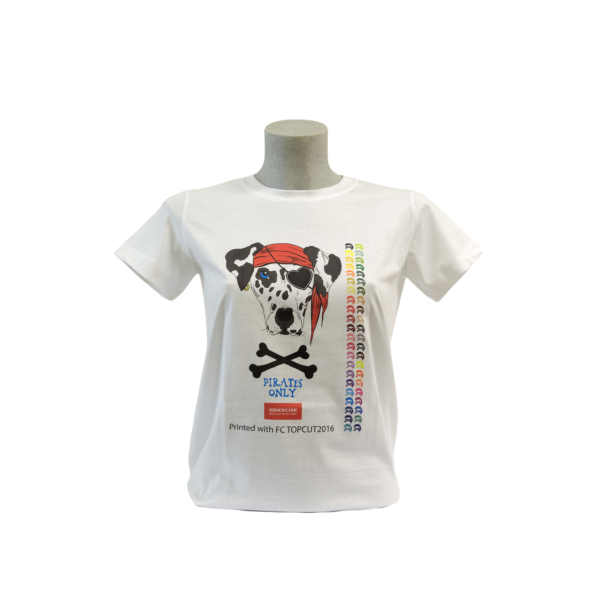


FC TOPCUT3V Paper
From 32,00 € 26,67 €
Availability: In stock
More than 1% left in stock
SKU
SHC_FC_TOPCUT3V
Topcut is an easy-to-use, no-weed transfer paper for light-colored cotton and other white, lightweight natural or synthetic fabrics. Perfect for small to medium print runs with an average durability of 40 washes, TOPCUT 3V transfer paper offers a fine, elastic result very similar to screen printing.
It is compatible with OKI laser printers (see the list of compatible printers below). Topcut cuts letters and designs perfectly with solid colors and images with gradients, except for very light colors (halftone up to 30%).
Pack of 100 sheets!
Instructions for use:
1 - Insert the transfer paper into the laser printer's bypass tray, setting the paper to heavyweight setting 1 (approximately 121-188 g/m²). Print in mirror image.
2 - Position the fabric on the heat press platen, with the printed side of the transfer paper in contact with the fabric.
3 - Press at 180°C for 15-20 seconds at medium pressure.
4 - Wait 8-10 seconds (Important!) and remove the paper liner from the bottom up (towards the less elastic direction of the fabric).
5 - To ensure the toner penetrates the fabric fibers perfectly and guarantees wash resistance, it is essential to place the shiny side of the non-stick coated parchment paper or the CFC-free silicone paper (POLSIL) (included in the box) onto the printed fabric and press again at 180°C for 35 seconds at high pressure.
CAUTION! When using chemical or polymer toners, the POLSIL paper sheet may show yellow stains; therefore, to prevent t-shirts from staining, we suggest using non-adhesive tissue paper.
Compatible printers :
- CMYK laser printers: OKI ES6410/C610 (A4) – ES6412/C612 (A4) – ES7411/C711 (A4) – ES8431/C831 (A3) – ES8433/C833
- CMYW white toner laser printers: OKI ES7411WT/C711WT/PRO7411WT (A4) - ES9420WT/C920WT/PRO9420WT (A3)
Write your own review
